



Keep this ayah easy to find
Use the bookmark icon beside the ayah to keep your place. When you finish a free-study session, Add to study journal saves a learning record; follow any sign-in or save prompts shown in the app.

Listen to one ayah, give yourself time to repeat it aloud, and return to the audio when you need another listen.
Download Munabook
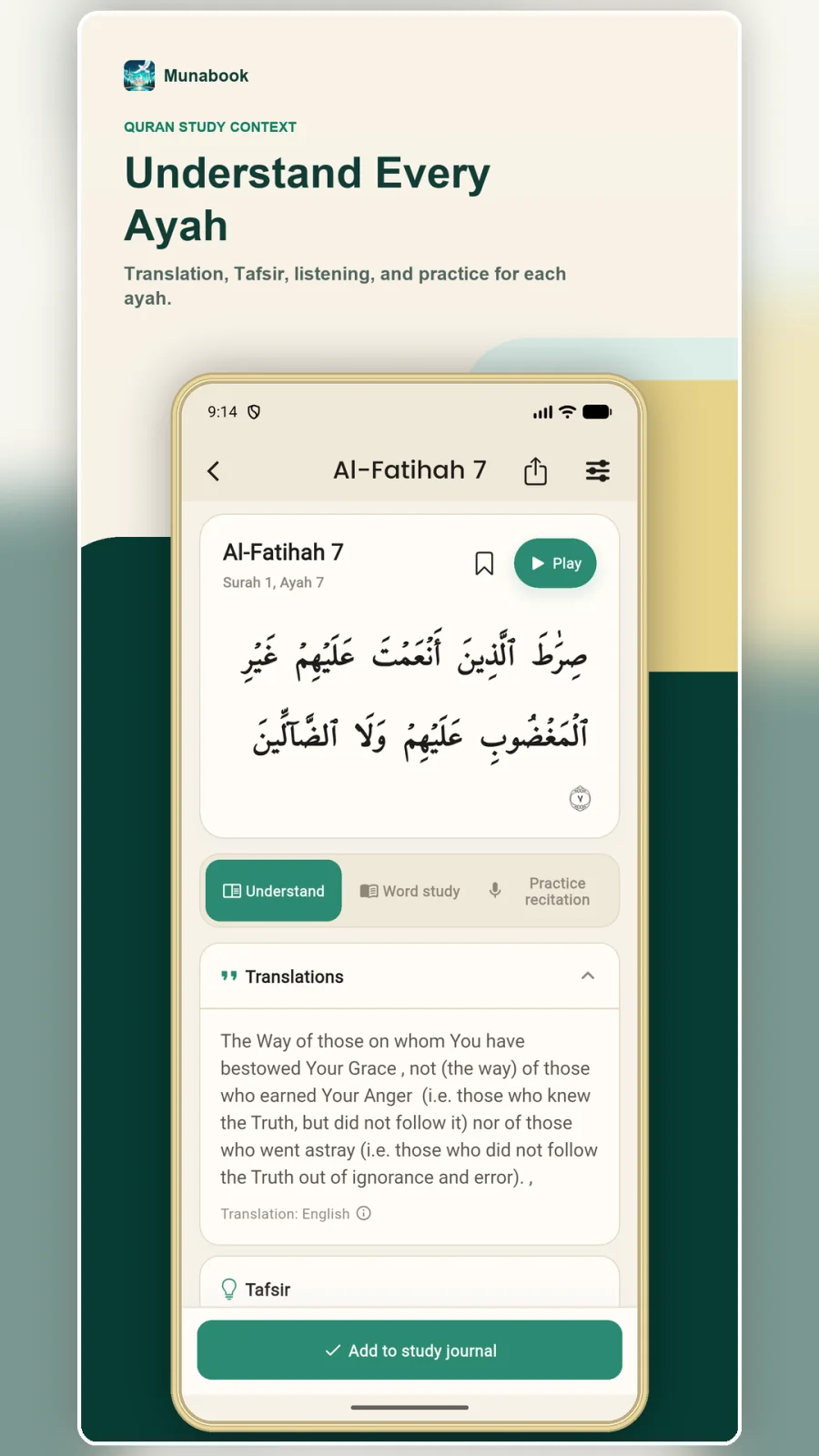
After installing Munabook, open the Quran tab, choose a surah, and tap an ayah to open its study page. The text and Play button stay together, so you can listen before trying the same ayah yourself.
Open the surah and ayah you want to practise. For a familiar starting point, you can choose Al-Fatihah, Ayah 1.
Listen to the reciter while following the text. Use Pause when you need time, then Resume to continue listening.
After listening, try the ayah yourself. Return to the playback control for another listen whenever you need it. You choose when to listen and when to repeat.
Use the bookmark icon beside the ayah to keep your place. When you finish a free-study session, Add to study journal saves a learning record; follow any sign-in or save prompts shown in the app.
Open Practice recitation on the ayah page if you want to record your own reading. Recording needs microphone permission and is subject to the account access and practice credits shown in the app. You can also repeat aloud on your own without recording.
Practise an ayah until you feel ready to move on, or use Today’s learning in the Study tab for a daily starting point. For the recording workflow, see recitation practice and feedback.